
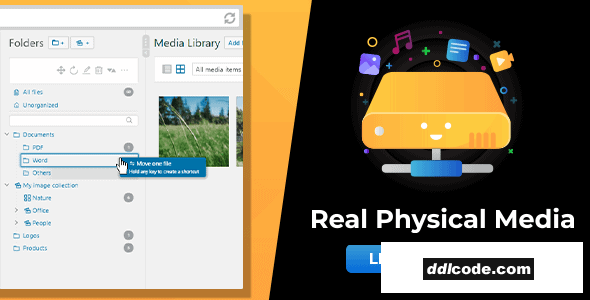
Reflect the folder structure of your Real Media Library (media library folders) in your file system. Organize media in physical folders and benefit from SEO optimization.
Reflecting the Real Media Library folder structure into your file system not only gives you a better file structure when working with an FTP client, but a more descriptive file path. This SEO optimization will drive traffic directly to your website from image search engines!Real Physical Media comes with a lot of features to physically manage your uploaded media. For this plugin we have focused on a high-performance solution that can most effectively improve your ranking in search engines.
- Physically restructures all uploads in your WordPress media library using the folder structure created with Real Media Library.
- Moves new uploads directly to the correct physical folder (instantly done; no need to queue).
- Removes special characters from file and folder names for best international compatibility.
- SEO-optimized descriptive path names with meaningful folder names and file names that are renamed by their title.
- SEO URL redirections protect you from errors: If your or another website refers to a file whose URL changes when the file is moved, the user’s browser is automatically redirected with a 301 and 302 redirect for best SEO results.
- Works with all files in your media library such as images, videos, audio, text or PDFs.
- You are independent from this plugin. Your files will remain in the physical folders, even if you delete this plugin at some point.
- You can physically arrange all folders already created with Real Media Library before installing this plugin. This will give you better visibility of all images on your website in search engines – not just newly uploaded ones.
- Set up an additional upload suffix to be added to your upload folder, e.g.
wp-content/uploads/storage/ - Allows extra long media URL paths and file names with even more than 255 charters (default limit in WordPress).
- Built-in high performance file structure rewrite queuing system that protects your system from crashes or timeouts (works for large websites with thousands of media uploads).
- Enabled automatic queuing tracks every file movement (move, reorder, mass move, folder renaming) and automatically queues them for maximum efficiency.
- Optionally, set up a cron job that processes the queue in the background without blocking you while editing the website.
- Import categories/folders from third-party media library folder plugins such as FileBird, WP Media Folder, Advanced Media Library, Media Library Wizard and automatically rewrite the created structure to your file system (import via Real Media Library).
- Supports WordPress Multisite (each page has its own folder tree).
- GPDR/DSGVO: The plugin does not collect personal data without your consent!
FAQ
Guests are not allowed to download. First thing to do is register for a free account.
Once you are a free member you are limited to 3 downloads a day, excluding Premium Files available only to Premium Users. The download link is available on the right side block just above the Demo button.
Once you are a free member you are limited to 3 downloads a day, excluding Premium Files available only to Premium Users. The download link is available on the right side block just above the Demo button.
Unfortunately No. If you require technical support regarding a downloaded file then you will need to either purchase the product directly from the author (a link is provided) or you will need to hire a freelancer to take a look for you. Alternatively, you could ask around some of the helpful community forums around the web.
We have a dedicated broken link report link just bellow the Demo button. You could also leave a comment with your question and we'll do our best to answer it.
We provide CLEAN and SAFE resources. You can use them for development and testing purposes. Our files are double checked by our experts. Any antivirus alert about a possible infection is most likely a False Positive.
No, we do not allow leeching or reselling or stacking up our products. We will instantly ban any account found to be violating our terms and conditions / fair usage policy.
Give this download a rating!
( 0 ) votes so far.
Comments 0
Reflect the folder structure of your Real Media Library (media library folders) in your file system. Organize media in physical folders and benefit from SEO optimization.
Reflecting the Real Media Library folder structure into your file system not only gives you a better file structure when working with an FTP client, but a more descriptive file path. This SEO optimization will drive traffic directly to your website from image search engines!Real Physical Media comes with a lot of features to physically manage your uploaded media. For this plugin we have focused on a high-performance solution that can most effectively improve your ranking in search engines.
- Physically restructures all uploads in your WordPress media library using the folder structure created with Real Media Library.
- Moves new uploads directly to the correct physical folder (instantly done; no need to queue).
- Removes special characters from file and folder names for best international compatibility.
- SEO-optimized descriptive path names with meaningful folder names and file names that are renamed by their title.
- SEO URL redirections protect you from errors: If your or another website refers to a file whose URL changes when the file is moved, the user’s browser is automatically redirected with a 301 and 302 redirect for best SEO results.
- Works with all files in your media library such as images, videos, audio, text or PDFs.
- You are independent from this plugin. Your files will remain in the physical folders, even if you delete this plugin at some point.
- You can physically arrange all folders already created with Real Media Library before installing this plugin. This will give you better visibility of all images on your website in search engines – not just newly uploaded ones.
- Set up an additional upload suffix to be added to your upload folder, e.g.
wp-content/uploads/storage/ - Allows extra long media URL paths and file names with even more than 255 charters (default limit in WordPress).
- Built-in high performance file structure rewrite queuing system that protects your system from crashes or timeouts (works for large websites with thousands of media uploads).
- Enabled automatic queuing tracks every file movement (move, reorder, mass move, folder renaming) and automatically queues them for maximum efficiency.
- Optionally, set up a cron job that processes the queue in the background without blocking you while editing the website.
- Import categories/folders from third-party media library folder plugins such as FileBird, WP Media Folder, Advanced Media Library, Media Library Wizard and automatically rewrite the created structure to your file system (import via Real Media Library).
- Supports WordPress Multisite (each page has its own folder tree).
- GPDR/DSGVO: The plugin does not collect personal data without your consent!
Additional File Information:
License Requirements Removed - Nulled File available to Premium members only.
License Requirements Removed - Nulled File available to Premium members only.
Date Updated
Sep 30, 2026File Type
NulledFile Access
PremiumDate & Edit Reason
30-09-26 16:13 updated to 1.6.7Download
Guests are not allowed to download files from our servers.
Please register for a free account and enjoy the benefits.
Demo
Please register for a free account and enjoy the benefits.
Problem with download?
Register...
Date Published (edited): 30-09-26 16:13
Total Views: 298


