
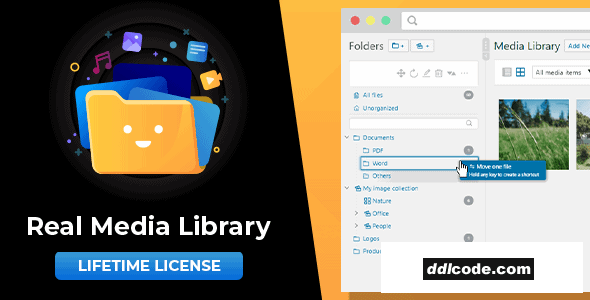
Real Media Library helps you with media management. Organize thousands of uploaded files into folders, collections and galleries. A real file manager that allows you to manage large amounts of files such as pictures, videos or documents in WordPress. Media library folders for everyone!
Real Media Library is a WordPress plugin that empowers you with advanced media management. With this plugin you are able to organize the thousands of images, audio, video and PDF files in your media library into folders. Basically it is a file manager like Windows Explorer or Mac Finder, but for WordPress.
Organizing your blog media files with the Real Media Library plugin is as easy as dragging and dropping them into folders. You can rearrange the order of your files by dragging them around to move the important files to the top of the list for faster access.
Additionally, you can use the Real Media Library plugin to add media galleries into your posts directly from the WordPress ‘New Post’ editor. This allows you to add an entire media folder as a customizable gallery to your WordPress posts.
The Real Media Library is the must-have WordPress plugin for media management, which can save you a lot of time that you have to spend on managing your media files.
Folder: A folder can contain any type of file and collections, but not galleries. To create a subfolder, simply select a folder from the list and click this button.
Collection: A collection cannot contain files. But you can create other collections and galleries there. The above mentioned gallery is only a gallery data folder, which means that they are not automatically placed in your frontend (your website). You can create a visual gallery from this gallery data folder using the Gutenberg editor in your page/post.
Gallery: A gallery data folder can only contain images. It is easier for you to distinguish where your visual galleries are located. You can also drag and drop the images into your own image order.
Real Media Library is a modern and high quality plugins. But we try our best to ensure backwards compatibility so you can use it even if your setup is not the latest.
Real Media Library is a WordPress plugin that empowers you with advanced media management. With this plugin you are able to organize the thousands of images, audio, video and PDF files in your media library into folders. Basically it is a file manager like Windows Explorer or Mac Finder, but for WordPress.
Why do you need this plugin?
A growing WordPress blog or website means that you add a lot of new media files to your database every day. In a few weeks your website will be filled with thousands of media files. How will you be able to find one of these files in a flat list? Of course, you can use the WordPress search function and spend a few hours to find a file, but who can remember the names of thousands of files?Organize your media with ease
This is where the Real Media Library Plugin comes in. With this plugin you can easily create folders, collections and galleries for your pictures to organize your media library properly. Next time you’re looking for a file, it’s just a click away in the file manager.Organizing your blog media files with the Real Media Library plugin is as easy as dragging and dropping them into folders. You can rearrange the order of your files by dragging them around to move the important files to the top of the list for faster access.
Additionally, you can use the Real Media Library plugin to add media galleries into your posts directly from the WordPress ‘New Post’ editor. This allows you to add an entire media folder as a customizable gallery to your WordPress posts.
The Real Media Library is the must-have WordPress plugin for media management, which can save you a lot of time that you have to spend on managing your media files.
Folders, Collections and Galleries
As you can see from the Real Media Library plugin screenshots (GIFs), it supports three ways to order your files:Folder: A folder can contain any type of file and collections, but not galleries. To create a subfolder, simply select a folder from the list and click this button.
Collection: A collection cannot contain files. But you can create other collections and galleries there. The above mentioned gallery is only a gallery data folder, which means that they are not automatically placed in your frontend (your website). You can create a visual gallery from this gallery data folder using the Gutenberg editor in your page/post.
Gallery: A gallery data folder can only contain images. It is easier for you to distinguish where your visual galleries are located. You can also drag and drop the images into your own image order.
Real Media Library is a modern and high quality plugins. But we try our best to ensure backwards compatibility so you can use it even if your setup is not the latest.
- PHP Version: 7.4 or newer (PHP 8 supported)
- WordPress Version: 5.9 or newer
- Database Version: MySQL 5.7 or newer or MariaDB 10.3 or newer
- Browser: Google Chrome, Mozilla Firefox, Microsoft Edge or Apple Safari (latest versions)
FAQ
Guests are not allowed to download. First thing to do is register for a free account.
Once you are a free member you are limited to 3 downloads a day, excluding Premium Files available only to Premium Users. The download link is available on the right side block just above the Demo button.
Once you are a free member you are limited to 3 downloads a day, excluding Premium Files available only to Premium Users. The download link is available on the right side block just above the Demo button.
Unfortunately No. If you require technical support regarding a downloaded file then you will need to either purchase the product directly from the author (a link is provided) or you will need to hire a freelancer to take a look for you. Alternatively, you could ask around some of the helpful community forums around the web.
We have a dedicated broken link report link just bellow the Demo button. You could also leave a comment with your question and we'll do our best to answer it.
We provide CLEAN and SAFE resources. You can use them for development and testing purposes. Our files are double checked by our experts. Any antivirus alert about a possible infection is most likely a False Positive.
No, we do not allow leeching or reselling or stacking up our products. We will instantly ban any account found to be violating our terms and conditions / fair usage policy.
Give this download a rating!
( 0 ) votes so far.
Comments 0
Real Media Library helps you with media management. Organize thousands of uploaded files into folders, collections and galleries. A real file manager that allows you to manage large amounts of files such as pictures, videos or documents in WordPress. Media library folders for everyone!
Real Media Library is a WordPress plugin that empowers you with advanced media management. With this plugin you are able to organize the thousands of images, audio, video and PDF files in your media library into folders. Basically it is a file manager like Windows Explorer or Mac Finder, but for WordPress.
Organizing your blog media files with the Real Media Library plugin is as easy as dragging and dropping them into folders. You can rearrange the order of your files by dragging them around to move the important files to the top of the list for faster access.
Additionally, you can use the Real Media Library plugin to add media galleries into your posts directly from the WordPress ‘New Post’ editor. This allows you to add an entire media folder as a customizable gallery to your WordPress posts.
The Real Media Library is the must-have WordPress plugin for media management, which can save you a lot of time that you have to spend on managing your media files.
Folder: A folder can contain any type of file and collections, but not galleries. To create a subfolder, simply select a folder from the list and click this button.
Collection: A collection cannot contain files. But you can create other collections and galleries there. The above mentioned gallery is only a gallery data folder, which means that they are not automatically placed in your frontend (your website). You can create a visual gallery from this gallery data folder using the Gutenberg editor in your page/post.
Gallery: A gallery data folder can only contain images. It is easier for you to distinguish where your visual galleries are located. You can also drag and drop the images into your own image order.
Real Media Library is a modern and high quality plugins. But we try our best to ensure backwards compatibility so you can use it even if your setup is not the latest.
Real Media Library is a WordPress plugin that empowers you with advanced media management. With this plugin you are able to organize the thousands of images, audio, video and PDF files in your media library into folders. Basically it is a file manager like Windows Explorer or Mac Finder, but for WordPress.
Why do you need this plugin?
A growing WordPress blog or website means that you add a lot of new media files to your database every day. In a few weeks your website will be filled with thousands of media files. How will you be able to find one of these files in a flat list? Of course, you can use the WordPress search function and spend a few hours to find a file, but who can remember the names of thousands of files?Organize your media with ease
This is where the Real Media Library Plugin comes in. With this plugin you can easily create folders, collections and galleries for your pictures to organize your media library properly. Next time you’re looking for a file, it’s just a click away in the file manager.Organizing your blog media files with the Real Media Library plugin is as easy as dragging and dropping them into folders. You can rearrange the order of your files by dragging them around to move the important files to the top of the list for faster access.
Additionally, you can use the Real Media Library plugin to add media galleries into your posts directly from the WordPress ‘New Post’ editor. This allows you to add an entire media folder as a customizable gallery to your WordPress posts.
The Real Media Library is the must-have WordPress plugin for media management, which can save you a lot of time that you have to spend on managing your media files.
Folders, Collections and Galleries
As you can see from the Real Media Library plugin screenshots (GIFs), it supports three ways to order your files:Folder: A folder can contain any type of file and collections, but not galleries. To create a subfolder, simply select a folder from the list and click this button.
Collection: A collection cannot contain files. But you can create other collections and galleries there. The above mentioned gallery is only a gallery data folder, which means that they are not automatically placed in your frontend (your website). You can create a visual gallery from this gallery data folder using the Gutenberg editor in your page/post.
Gallery: A gallery data folder can only contain images. It is easier for you to distinguish where your visual galleries are located. You can also drag and drop the images into your own image order.
Real Media Library is a modern and high quality plugins. But we try our best to ensure backwards compatibility so you can use it even if your setup is not the latest.
- PHP Version: 7.4 or newer (PHP 8 supported)
- WordPress Version: 5.9 or newer
- Database Version: MySQL 5.7 or newer or MariaDB 10.3 or newer
- Browser: Google Chrome, Mozilla Firefox, Microsoft Edge or Apple Safari (latest versions)
Additional File Information:
License Requirements Removed - Nulled File available to Premium members only.
License Requirements Removed - Nulled File available to Premium members only.
Date Updated
Sep 30, 2026File Type
NulledFile Access
PremiumDate & Edit Reason
30-09-26 16:12 updated to 4.23.7Download
Guests are not allowed to download files from our servers.
Please register for a free account and enjoy the benefits.
Demo
Please register for a free account and enjoy the benefits.
Problem with download?
Register...
Date Published (edited): 30-09-26 16:12
Total Views: 725


