
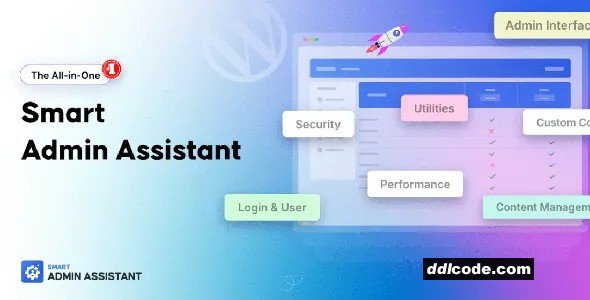
Smart Admin Assistant is an AI-enhanced WordPress admin tool that helps streamline site management via voice- and chat-based commands. Designed for freelancers, developers, and site owners who manage multiple tasks daily, this plugin acts like a virtual assistant inside your WordPress dashboard—speeding up common actions and reducing clicks.
Once installed, you can use voice or text commands to perform admin tasks such as creating posts or pages, updating plugins, managing users, clearing cache, or navigating to specific settings. The assistant integrates directly with the WordPress backend, responding instantly to commands and reducing the time spent searching through menus.
Smart Admin Assistant is built with natural language processing, so it understands conversational input like “create a new blog post” or “go to WooCommerce settings.” It includes built-in dark mode, quick-access panels, and customisable shortcuts for frequently used actions. You can also limit assistant capabilities by user role, adding a layer of security and role-specific access.
This tool is especially helpful for busy professionals who want to perform routine admin tasks more efficiently, all while staying focused on higher-priority work.
What it does
Allows you to control and navigate your WordPress admin dashboard using AI-powered voice or chat commands.
Who it’s for
Ideal for WordPress users, freelancers, and developers who want to save time by managing site tasks with smart, conversational controls.
Key benefit
Reduces admin workload by letting you perform key WordPress tasks through fast, intuitive AI commands.
Key Features
• Voice and chat-based command interface
• Natural language processing for conversational commands
• Quick creation of posts, pages, and users
• Plugin, theme, and cache management via commands
• Built-in dark mode and UI shortcuts
• Role-based access control
• Fast navigation to admin pages and settings
• Lightweight and responsive within the dashboard
FAQ
Once you are a free member you are limited to 3 downloads a day, excluding Premium Files available only to Premium Users. The download link is available on the right side block just above the Demo button.
Give this download a rating!
Comments 0
Smart Admin Assistant is an AI-enhanced WordPress admin tool that helps streamline site management via voice- and chat-based commands. Designed for freelancers, developers, and site owners who manage multiple tasks daily, this plugin acts like a virtual assistant inside your WordPress dashboard—speeding up common actions and reducing clicks.
Once installed, you can use voice or text commands to perform admin tasks such as creating posts or pages, updating plugins, managing users, clearing cache, or navigating to specific settings. The assistant integrates directly with the WordPress backend, responding instantly to commands and reducing the time spent searching through menus.
Smart Admin Assistant is built with natural language processing, so it understands conversational input like “create a new blog post” or “go to WooCommerce settings.” It includes built-in dark mode, quick-access panels, and customisable shortcuts for frequently used actions. You can also limit assistant capabilities by user role, adding a layer of security and role-specific access.
This tool is especially helpful for busy professionals who want to perform routine admin tasks more efficiently, all while staying focused on higher-priority work.
What it does
Allows you to control and navigate your WordPress admin dashboard using AI-powered voice or chat commands.
Who it’s for
Ideal for WordPress users, freelancers, and developers who want to save time by managing site tasks with smart, conversational controls.
Key benefit
Reduces admin workload by letting you perform key WordPress tasks through fast, intuitive AI commands.
Key Features
• Voice and chat-based command interface
• Natural language processing for conversational commands
• Quick creation of posts, pages, and users
• Plugin, theme, and cache management via commands
• Built-in dark mode and UI shortcuts
• Role-based access control
• Fast navigation to admin pages and settings
• Lightweight and responsive within the dashboard
Date Updated
Sep 15, 2026File Type
NulledFile Access
FreeDate & Edit Reason
Today, 03:53 updated to 2.4.0Download
Please register for a free account and enjoy the benefits.
Date Published (edited): Today, 03:53
Total Views: 636


