
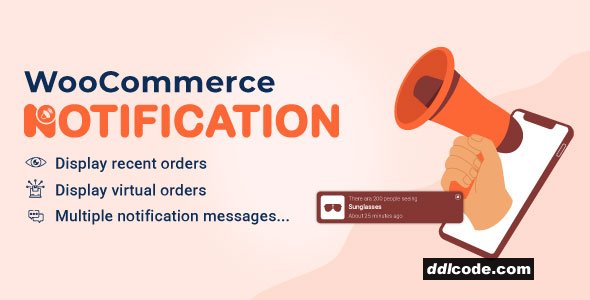
WooCommerce Notification displays recent orders as popup notifications on your store. It’s the online equivalent of a busy store and shows prospective customers that other people are buying your products.
- Increase conversion rate by highlighting other customers that have bought products.
- Display orders in real time for buyer validation and social proof!
- Create a sense of urgency for visitors, and expose new products!
- Select orders to display: You can choose orders to display based on the order status. Included Complete, Processing, On hold, Canceled, Refunded, Pending payment, or Failed orders.
- Order Time: Select time and display orders from that time until now.
- Current Category: Notifications that are displayed on a category page are only related to the products of that category
- Product visibility: Products whose Product visibility is set will be displayed on the popup notifications.
- External link: This option works with External/Affiliate products and allows redirecting to the External/Affiliate products page after clicking on the popup notifications.
- Exclude Products : Avoid the products you don’t want the notifications to appear on.
- Out-of-stock products: The option allows you to select whether to display out-of-stock products on the notification or not.
- Auto change virtual time. Auto display virtual time matched with your site timezone instead of the real-time of the order.
- Product image size: Flexible change the image size on the popup notification. That can be Shop thumbnail – 100×100; Shop catalog – 600xauto; Shop single – 900xauto.
FAQ
Guests are not allowed to download. First thing to do is register for a free account.
Once you are a free member you are limited to 3 downloads a day, excluding Premium Files available only to Premium Users. The download link is available on the right side block just above the Demo button.
Once you are a free member you are limited to 3 downloads a day, excluding Premium Files available only to Premium Users. The download link is available on the right side block just above the Demo button.
Unfortunately No. If you require technical support regarding a downloaded file then you will need to either purchase the product directly from the author (a link is provided) or you will need to hire a freelancer to take a look for you. Alternatively, you could ask around some of the helpful community forums around the web.
We have a dedicated broken link report link just bellow the Demo button. You could also leave a comment with your question and we'll do our best to answer it.
We provide CLEAN and SAFE resources. You can use them for development and testing purposes. Our files are double checked by our experts. Any antivirus alert about a possible infection is most likely a False Positive.
No, we do not allow leeching or reselling or stacking up our products. We will instantly ban any account found to be violating our terms and conditions / fair usage policy.
Give this download a rating!
( 0 ) votes so far.
Comments 0
WooCommerce Notification displays recent orders as popup notifications on your store. It’s the online equivalent of a busy store and shows prospective customers that other people are buying your products.
- Increase conversion rate by highlighting other customers that have bought products.
- Display orders in real time for buyer validation and social proof!
- Create a sense of urgency for visitors, and expose new products!
- Select orders to display: You can choose orders to display based on the order status. Included Complete, Processing, On hold, Canceled, Refunded, Pending payment, or Failed orders.
- Order Time: Select time and display orders from that time until now.
- Current Category: Notifications that are displayed on a category page are only related to the products of that category
- Product visibility: Products whose Product visibility is set will be displayed on the popup notifications.
- External link: This option works with External/Affiliate products and allows redirecting to the External/Affiliate products page after clicking on the popup notifications.
- Exclude Products : Avoid the products you don’t want the notifications to appear on.
- Out-of-stock products: The option allows you to select whether to display out-of-stock products on the notification or not.
- Auto change virtual time. Auto display virtual time matched with your site timezone instead of the real-time of the order.
- Product image size: Flexible change the image size on the popup notification. That can be Shop thumbnail – 100×100; Shop catalog – 600xauto; Shop single – 900xauto.
Date Updated
Jun 25, 2026File Type
UntouchedFile Access
FreeDate & Edit Reason
25-06-26 05:45 updated to 1.7.1Download
Guests are not allowed to download files from our servers.
Please register for a free account and enjoy the benefits.
Demo
Please register for a free account and enjoy the benefits.
Problem with download?
Register...
Date Published (edited): 25-06-26 05:45
Total Views: 93


