
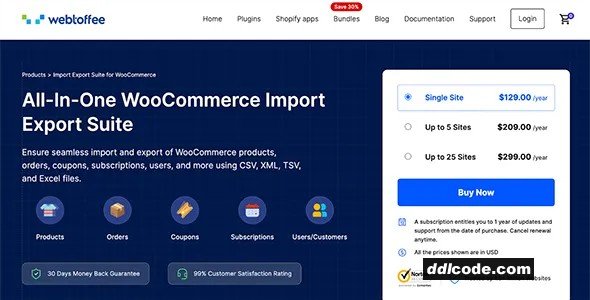
The Import Export Suite for WooCommerce by WebToffee is an all-in-one data migration solution designed to simplify and accelerate the management of WooCommerce store data. Whether you are upgrading your store, syncing data between multiple sites, or maintaining backups, this plugin empowers you to seamlessly bulk import and export a wide range of store elements including products, orders, customers, coupons, subscriptions, and reviews. By supporting multiple file formats such as CSV, XML, TSV, and Excel, it offers unparalleled flexibility, accommodating diverse business needs and data workflows.
What truly sets the Import Export Suite apart is its versatile import/export methods tailored for both novice users and advanced store managers. You can choose quick processing for fast data transfer, use advanced filtering with custom parameters to target specific data subsets, or leverage pre-saved templates for recurring tasks, thereby saving time and preventing errors. This comprehensive approach ensures high accuracy, enhanced efficiency, and full control over your WooCommerce data management, making it an indispensable tool for any online retailer focused on growth and operational excellence.
What truly sets the Import Export Suite apart is its versatile import/export methods tailored for both novice users and advanced store managers. You can choose quick processing for fast data transfer, use advanced filtering with custom parameters to target specific data subsets, or leverage pre-saved templates for recurring tasks, thereby saving time and preventing errors. This comprehensive approach ensures high accuracy, enhanced efficiency, and full control over your WooCommerce data management, making it an indispensable tool for any online retailer focused on growth and operational excellence.
Key Features
- Bulk Import and Export of WooCommerce Products, Orders, Customers, Coupons, Subscriptions, and Reviews – Streamline data migration and backup processes efficiently.
- Support for Multiple File Formats Including CSV, XML, TSV, and Excel – Offers flexible compatibility with various data sources and export requirements.
- Three Import/Export Methods: Quick Processing, Advanced Filtering, and Pre-Saved Templates – Provides customizable workflows to handle data exactly how you need.
- Advanced Filtering with Custom Parameters – Filter orders, products, or customers based on specific criteria for precise data management and targeted exports.
- Pre-Saved Import/Export Templates – Save your frequently used data configurations and reuse them instantly to save time and reduce repetitive tasks.
- User-Friendly Interface with Step-by-Step Wizard – Makes complex data import/export tasks accessible even to users with minimal technical expertise.
- Seamless Handling of Variable and Grouped Products – Supports complex product types ensuring complete and accurate data transfer.
- Robust Error Handling and Data Validation – Increases data integrity by identifying and resolving potential import/export issues before processing.
- Supports Scheduled Imports and Exports – Automate routine data syncing tasks to maintain up-to-date store information effortlessly.
- Compatibility with WooCommerce Subscriptions and Other Extensions – Ensures comprehensive data management across all your WooCommerce add-ons.
FAQ
Guests are not allowed to download. First thing to do is register for a free account.
Once you are a free member you are limited to 3 downloads a day, excluding Premium Files available only to Premium Users. The download link is available on the right side block just above the Demo button.
Once you are a free member you are limited to 3 downloads a day, excluding Premium Files available only to Premium Users. The download link is available on the right side block just above the Demo button.
Unfortunately No. If you require technical support regarding a downloaded file then you will need to either purchase the product directly from the author (a link is provided) or you will need to hire a freelancer to take a look for you. Alternatively, you could ask around some of the helpful community forums around the web.
We have a dedicated broken link report link just bellow the Demo button. You could also leave a comment with your question and we'll do our best to answer it.
We provide CLEAN and SAFE resources. You can use them for development and testing purposes. Our files are double checked by our experts. Any antivirus alert about a possible infection is most likely a False Positive.
No, we do not allow leeching or reselling or stacking up our products. We will instantly ban any account found to be violating our terms and conditions / fair usage policy.
Give this download a rating!
( 0 ) votes so far.
Comments 3
The Import Export Suite for WooCommerce by WebToffee is an all-in-one data migration solution designed to simplify and accelerate the management of WooCommerce store data. Whether you are upgrading your store, syncing data between multiple sites, or maintaining backups, this plugin empowers you to seamlessly bulk import and export a wide range of store elements including products, orders, customers, coupons, subscriptions, and reviews. By supporting multiple file formats such as CSV, XML, TSV, and Excel, it offers unparalleled flexibility, accommodating diverse business needs and data workflows.
What truly sets the Import Export Suite apart is its versatile import/export methods tailored for both novice users and advanced store managers. You can choose quick processing for fast data transfer, use advanced filtering with custom parameters to target specific data subsets, or leverage pre-saved templates for recurring tasks, thereby saving time and preventing errors. This comprehensive approach ensures high accuracy, enhanced efficiency, and full control over your WooCommerce data management, making it an indispensable tool for any online retailer focused on growth and operational excellence.
What truly sets the Import Export Suite apart is its versatile import/export methods tailored for both novice users and advanced store managers. You can choose quick processing for fast data transfer, use advanced filtering with custom parameters to target specific data subsets, or leverage pre-saved templates for recurring tasks, thereby saving time and preventing errors. This comprehensive approach ensures high accuracy, enhanced efficiency, and full control over your WooCommerce data management, making it an indispensable tool for any online retailer focused on growth and operational excellence.
Key Features
- Bulk Import and Export of WooCommerce Products, Orders, Customers, Coupons, Subscriptions, and Reviews – Streamline data migration and backup processes efficiently.
- Support for Multiple File Formats Including CSV, XML, TSV, and Excel – Offers flexible compatibility with various data sources and export requirements.
- Three Import/Export Methods: Quick Processing, Advanced Filtering, and Pre-Saved Templates – Provides customizable workflows to handle data exactly how you need.
- Advanced Filtering with Custom Parameters – Filter orders, products, or customers based on specific criteria for precise data management and targeted exports.
- Pre-Saved Import/Export Templates – Save your frequently used data configurations and reuse them instantly to save time and reduce repetitive tasks.
- User-Friendly Interface with Step-by-Step Wizard – Makes complex data import/export tasks accessible even to users with minimal technical expertise.
- Seamless Handling of Variable and Grouped Products – Supports complex product types ensuring complete and accurate data transfer.
- Robust Error Handling and Data Validation – Increases data integrity by identifying and resolving potential import/export issues before processing.
- Supports Scheduled Imports and Exports – Automate routine data syncing tasks to maintain up-to-date store information effortlessly.
- Compatibility with WooCommerce Subscriptions and Other Extensions – Ensures comprehensive data management across all your WooCommerce add-ons.
Date Updated
Sep 19, 2026File Type
NulledFile Access
FreeDate & Edit Reason
19-09-26 19:45 updated to 1.6.0Download
Guests are not allowed to download files from our servers.
Please register for a free account and enjoy the benefits.
Demo
Please register for a free account and enjoy the benefits.
Problem with download?
Register...
Date Published (edited): 19-09-26 19:45
Total Views: 576


