
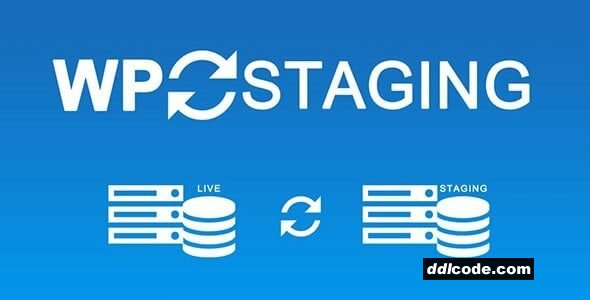
WP STAGING is a WordPress plugin that lets you create a staging or clone version of your live website in just a few clicks. It’s designed to give site owners and developers a safe environment to test updates, new plugins, theme changes, or custom code—without risking the live site. This is especially useful for eCommerce stores, membership platforms, or high-traffic sites where downtime or errors can have serious consequences.
The plugin copies your full site (including files, database, plugins, themes, and media) to a separate staging environment hosted on the same server. You can make all the changes you want in staging, and then push them to live (Pro feature) once everything is tested and working.
WP STAGING is known for its speed and reliability, even with large or complex sites. It includes database search-and-replace functions, user role restrictions, and the option to exclude specific tables or files during cloning. The Pro version adds migration, multisite support, scheduled backups, and custom push settings.
The plugin copies your full site (including files, database, plugins, themes, and media) to a separate staging environment hosted on the same server. You can make all the changes you want in staging, and then push them to live (Pro feature) once everything is tested and working.
WP STAGING is known for its speed and reliability, even with large or complex sites. It includes database search-and-replace functions, user role restrictions, and the option to exclude specific tables or files during cloning. The Pro version adds migration, multisite support, scheduled backups, and custom push settings.
FAQ
Guests are not allowed to download. First thing to do is register for a free account.
Once you are a free member you are limited to 3 downloads a day, excluding Premium Files available only to Premium Users. The download link is available on the right side block just above the Demo button.
Once you are a free member you are limited to 3 downloads a day, excluding Premium Files available only to Premium Users. The download link is available on the right side block just above the Demo button.
Unfortunately No. If you require technical support regarding a downloaded file then you will need to either purchase the product directly from the author (a link is provided) or you will need to hire a freelancer to take a look for you. Alternatively, you could ask around some of the helpful community forums around the web.
We have a dedicated broken link report link just bellow the Demo button. You could also leave a comment with your question and we'll do our best to answer it.
We provide CLEAN and SAFE resources. You can use them for development and testing purposes. Our files are double checked by our experts. Any antivirus alert about a possible infection is most likely a False Positive.
No, we do not allow leeching or reselling or stacking up our products. We will instantly ban any account found to be violating our terms and conditions / fair usage policy.
Give this download a rating!
( 0 ) votes so far.
Comments 1
WP STAGING is a WordPress plugin that lets you create a staging or clone version of your live website in just a few clicks. It’s designed to give site owners and developers a safe environment to test updates, new plugins, theme changes, or custom code—without risking the live site. This is especially useful for eCommerce stores, membership platforms, or high-traffic sites where downtime or errors can have serious consequences.
The plugin copies your full site (including files, database, plugins, themes, and media) to a separate staging environment hosted on the same server. You can make all the changes you want in staging, and then push them to live (Pro feature) once everything is tested and working.
WP STAGING is known for its speed and reliability, even with large or complex sites. It includes database search-and-replace functions, user role restrictions, and the option to exclude specific tables or files during cloning. The Pro version adds migration, multisite support, scheduled backups, and custom push settings.
The plugin copies your full site (including files, database, plugins, themes, and media) to a separate staging environment hosted on the same server. You can make all the changes you want in staging, and then push them to live (Pro feature) once everything is tested and working.
WP STAGING is known for its speed and reliability, even with large or complex sites. It includes database search-and-replace functions, user role restrictions, and the option to exclude specific tables or files during cloning. The Pro version adds migration, multisite support, scheduled backups, and custom push settings.
Additional File Information:
License Requirements Removed - Nulled File available to Premium members only.
License Requirements Removed - Nulled File available to Premium members only.
Date Updated
Nov 2, 2026File Type
NulledFile Access
PremiumDate & Edit Reason
Today, 15:48 updated to 6.19.0Download
Guests are not allowed to download files from our servers.
Please register for a free account and enjoy the benefits.
Demo
Please register for a free account and enjoy the benefits.
Problem with download?
Register...
Date Published (edited): Today, 15:48
Total Views: 895


