
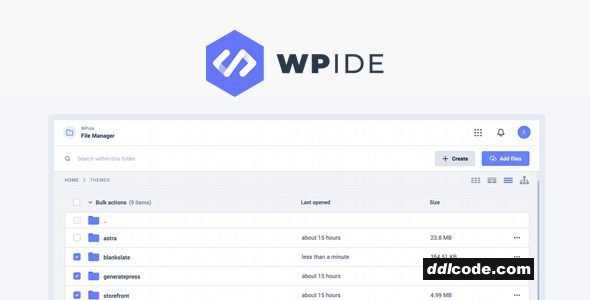
WP IDE provides a full in-dashboard code editor, allowing you to edit WordPress files directly without using FTP or external tools. It supports syntax highlighting, error checking, and autocomplete for PHP, CSS, JS, and HTML, making file changes easier and safer. You can access theme and plugin files directly from the WordPress admin, and it keeps track of changes to help avoid mistakes. It’s built with developer workflows in mind, so you can jump between files, search across code, and even use keyboard shortcuts. For added safety, there's an undo function and version history to roll back changes if something goes wrong. It’s convenient for developers working on client sites who want faster, direct file access without leaving the dashboard.
WPIDE Premium Free Features
- Friendly Design
A fresh modern UI that makes it easy to browse and manage your files. - Strong Security
Using native WordPress Filesystem API to perform file operations securely. - Bulk Uploads
Create files & folders or bulk upload folders directly within the file manager dropzone. - Batch Downloads
Download one or multiple files & folders at once. Folders will be downloaded as zip files. - Archive Files
Easily zip or unzip files. Backup your whole WordPress content folder if needed. - Calculate Folder Size
Calculate folder sizes on demand or on load. Sizes are saved for faster browsing. - Code Editor
Advanced Code Editor lets you edit most coding languages including PHP. - Image Editor
Powerful editing tools that will let you edit images quickly and with ease. - Database Manager
Access and fully control your WordPress database with ease!
FAQ
Guests are not allowed to download. First thing to do is register for a free account.
Once you are a free member you are limited to 3 downloads a day, excluding Premium Files available only to Premium Users. The download link is available on the right side block just above the Demo button.
Once you are a free member you are limited to 3 downloads a day, excluding Premium Files available only to Premium Users. The download link is available on the right side block just above the Demo button.
Unfortunately No. If you require technical support regarding a downloaded file then you will need to either purchase the product directly from the author (a link is provided) or you will need to hire a freelancer to take a look for you. Alternatively, you could ask around some of the helpful community forums around the web.
We have a dedicated broken link report link just bellow the Demo button. You could also leave a comment with your question and we'll do our best to answer it.
We provide CLEAN and SAFE resources. You can use them for development and testing purposes. Our files are double checked by our experts. Any antivirus alert about a possible infection is most likely a False Positive.
No, we do not allow leeching or reselling or stacking up our products. We will instantly ban any account found to be violating our terms and conditions / fair usage policy.
Give this download a rating!
( 0 ) votes so far.
Comments 0
WP IDE provides a full in-dashboard code editor, allowing you to edit WordPress files directly without using FTP or external tools. It supports syntax highlighting, error checking, and autocomplete for PHP, CSS, JS, and HTML, making file changes easier and safer. You can access theme and plugin files directly from the WordPress admin, and it keeps track of changes to help avoid mistakes. It’s built with developer workflows in mind, so you can jump between files, search across code, and even use keyboard shortcuts. For added safety, there's an undo function and version history to roll back changes if something goes wrong. It’s convenient for developers working on client sites who want faster, direct file access without leaving the dashboard.
WPIDE Premium Free Features
- Friendly Design
A fresh modern UI that makes it easy to browse and manage your files. - Strong Security
Using native WordPress Filesystem API to perform file operations securely. - Bulk Uploads
Create files & folders or bulk upload folders directly within the file manager dropzone. - Batch Downloads
Download one or multiple files & folders at once. Folders will be downloaded as zip files. - Archive Files
Easily zip or unzip files. Backup your whole WordPress content folder if needed. - Calculate Folder Size
Calculate folder sizes on demand or on load. Sizes are saved for faster browsing. - Code Editor
Advanced Code Editor lets you edit most coding languages including PHP. - Image Editor
Powerful editing tools that will let you edit images quickly and with ease. - Database Manager
Access and fully control your WordPress database with ease!
Additional File Information:
License Requirements Removed - Nulled File available to Premium members only.
License Requirements Removed - Nulled File available to Premium members only.
Date Updated
Jul 1, 2026File Type
NulledFile Access
PremiumDownload
Guests are not allowed to download files from our servers.
Please register for a free account and enjoy the benefits.
Demo
Please register for a free account and enjoy the benefits.
Problem with download?
Register...
Date Published (edited): 01-07-26 10:49
Total Views: 115


