
Demandium - Provider App v3.9
Mobile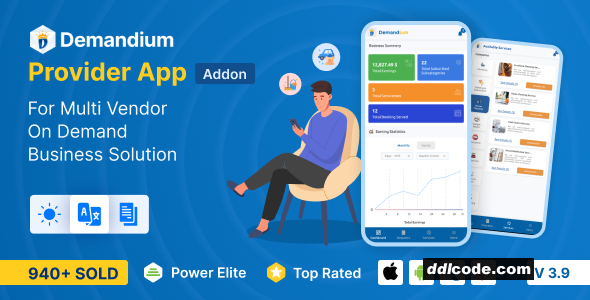
Demandium Provider app is the most important module of the Demandium Multi Provider on-demand service project. Providers can accept and deliver services using this app. Providers can manage all the things related to the provider panel by this app, like managing servicemen, assigning them to new service categories, earning reports, etc.
The intuitive dashboard of the Demandium provider app shows total business summaries such as total earnings, total subscribed subcategories, total servicemen, total booking serviced, earning statistics, recent booking activities, subscriptions, and serviceman lists.
Booking Requests
F rom the booking request page, providers can see various booking requests, such as pending, accepted, ongoing, completed, and cancelled. Providers can also view booking details from each sub-section and change booking status, change booking schedule, download invoices, chat with customers, and view booking status.
Withdrawal Option
From the account information section of the profile settings option of the Demandium provider app, providers can request for withdrawal to the admin. On the withdrawal request page, providers can select their preferred withdrawal method and provider relevant information according to it and then slide to withdraw the request from the app.
View Booking on Map
Providers can view the customer’s location on the map from the Demandium provider app. This feature allows the provider to find a nearby serviceman to serve the customer on time.
Change Request Status
From the booking details page, providers can change the booking request status according to the task update. Such as pending, accepted, ongoing, completed, and cancelled.
The intuitive dashboard of the Demandium provider app shows total business summaries such as total earnings, total subscribed subcategories, total servicemen, total booking serviced, earning statistics, recent booking activities, subscriptions, and serviceman lists.
Booking Requests
F rom the booking request page, providers can see various booking requests, such as pending, accepted, ongoing, completed, and cancelled. Providers can also view booking details from each sub-section and change booking status, change booking schedule, download invoices, chat with customers, and view booking status.
Withdrawal Option
From the account information section of the profile settings option of the Demandium provider app, providers can request for withdrawal to the admin. On the withdrawal request page, providers can select their preferred withdrawal method and provider relevant information according to it and then slide to withdraw the request from the app.
View Booking on Map
Providers can view the customer’s location on the map from the Demandium provider app. This feature allows the provider to find a nearby serviceman to serve the customer on time.
Change Request Status
From the booking details page, providers can change the booking request status according to the task update. Such as pending, accepted, ongoing, completed, and cancelled.
FAQ
Guests are not allowed to download. First thing to do is register for a free account.
Once you are a free member you are limited to 3 downloads a day, excluding Premium Files available only to Premium Users. The download link is available on the right side block just above the Demo button.
Once you are a free member you are limited to 3 downloads a day, excluding Premium Files available only to Premium Users. The download link is available on the right side block just above the Demo button.
Unfortunately No. If you require technical support regarding a downloaded file then you will need to either purchase the product directly from the author (a link is provided) or you will need to hire a freelancer to take a look for you. Alternatively, you could ask around some of the helpful community forums around the web.
We have a dedicated broken link report link just bellow the Demo button. You could also leave a comment with your question and we'll do our best to answer it.
We provide CLEAN and SAFE resources. You can use them for development and testing purposes. Our files are double checked by our experts. Any antivirus alert about a possible infection is most likely a False Positive.
No, we do not allow leeching or reselling or stacking up our products. We will instantly ban any account found to be violating our terms and conditions / fair usage policy.
Give this download a rating!
( 0 ) votes so far.
Comments 0
Demandium Provider app is the most important module of the Demandium Multi Provider on-demand service project. Providers can accept and deliver services using this app. Providers can manage all the things related to the provider panel by this app, like managing servicemen, assigning them to new service categories, earning reports, etc.
The intuitive dashboard of the Demandium provider app shows total business summaries such as total earnings, total subscribed subcategories, total servicemen, total booking serviced, earning statistics, recent booking activities, subscriptions, and serviceman lists.
Booking Requests
F rom the booking request page, providers can see various booking requests, such as pending, accepted, ongoing, completed, and cancelled. Providers can also view booking details from each sub-section and change booking status, change booking schedule, download invoices, chat with customers, and view booking status.
Withdrawal Option
From the account information section of the profile settings option of the Demandium provider app, providers can request for withdrawal to the admin. On the withdrawal request page, providers can select their preferred withdrawal method and provider relevant information according to it and then slide to withdraw the request from the app.
View Booking on Map
Providers can view the customer’s location on the map from the Demandium provider app. This feature allows the provider to find a nearby serviceman to serve the customer on time.
Change Request Status
From the booking details page, providers can change the booking request status according to the task update. Such as pending, accepted, ongoing, completed, and cancelled.
The intuitive dashboard of the Demandium provider app shows total business summaries such as total earnings, total subscribed subcategories, total servicemen, total booking serviced, earning statistics, recent booking activities, subscriptions, and serviceman lists.
Booking Requests
F rom the booking request page, providers can see various booking requests, such as pending, accepted, ongoing, completed, and cancelled. Providers can also view booking details from each sub-section and change booking status, change booking schedule, download invoices, chat with customers, and view booking status.
Withdrawal Option
From the account information section of the profile settings option of the Demandium provider app, providers can request for withdrawal to the admin. On the withdrawal request page, providers can select their preferred withdrawal method and provider relevant information according to it and then slide to withdraw the request from the app.
View Booking on Map
Providers can view the customer’s location on the map from the Demandium provider app. This feature allows the provider to find a nearby serviceman to serve the customer on time.
Change Request Status
From the booking details page, providers can change the booking request status according to the task update. Such as pending, accepted, ongoing, completed, and cancelled.
Date Updated
Jul 27, 2026Category
File Type
UntouchedFile Access
PremiumDownload
Guests are not allowed to download files from our servers.
Please register for a free account and enjoy the benefits.
Demo
Please register for a free account and enjoy the benefits.
Problem with download?
Register...
Date Published (edited): 27-07-26 14:13
Total Views: 281


